How to Set Alerts for Flash Flight Deals
How to Set Alerts for Flash Flight Deals
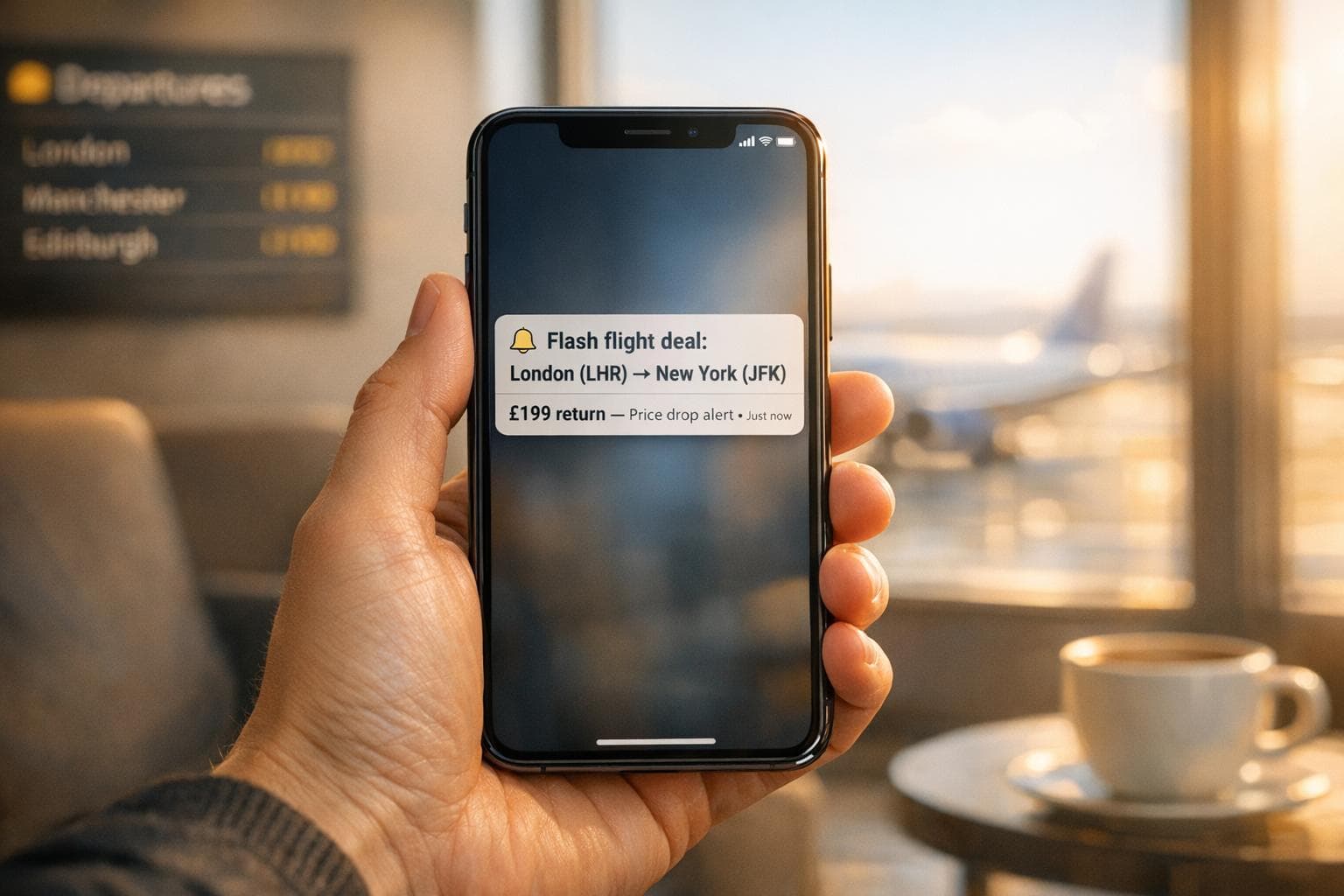
Flash flight deals can save you up to 40% or more on airfare, but they disappear quickly. Setting up automated alerts is the easiest way to stay informed about price drops, mistake fares, and flash sales without constantly checking airline websites. Here's how you can do it:
- Use the Tripaway App: It tracks millions of routes and sends notifications when prices drop.
- Customise Your Alerts: Focus on UK airports like Heathrow or Gatwick and set price thresholds (e.g., "notify me if fares drop below £100").
- Choose a Plan: The Free Plan offers basic alerts, while the Premium Plan (£9.99/month or £39.99/year) provides real-time updates, mistake fare detection, and advanced filters.
- Act Fast: Flash deals vanish in minutes. Push notifications ensure you don’t miss out.
For example, a recent alert helped a traveller save £150 on a London–Barcelona flight. Whether you're a casual flyer or frequent traveller, setting up alerts takes minutes and can help you secure impressive savings.
Why Tripaway Works for Flash Sale Alerts
Real-Time Flight Monitoring
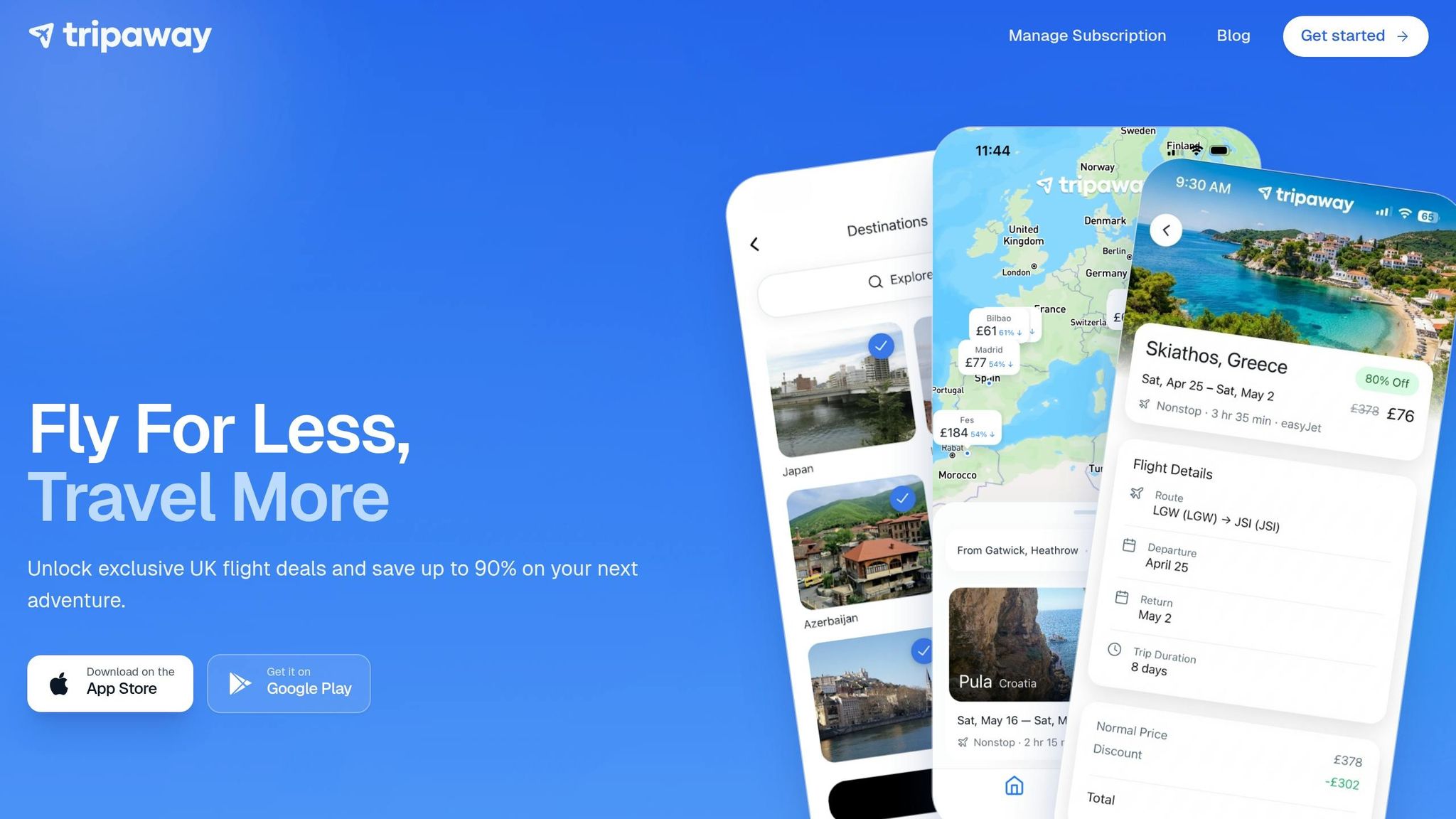
Tripaway keeps an eye on flight prices around the clock, saving you from the hassle of checking multiple airline websites. Its algorithms are designed to spot price drops, rare mistake fares (when airlines accidentally list fares much lower than usual), and flash sales that often disappear quickly - sometimes within hours.
With instant push notifications, you can grab these deals before they vanish. For instance, imagine a mistake fare from London to Athens dropping from £505 to just £101. Deals like this don’t last long, but real-time alerts ensure you’re among the first to know, giving you the best chance to book before the airline corrects the error.
This feature also supports location-specific alerts, making it even more tailored to your needs.
Custom Alerts for UK Airports
You can personalise your alerts by focusing on UK airports that suit your travel plans, such as London Heathrow (LHR), Gatwick (LGW), Manchester (MAN), or Edinburgh (EDI). This way, you’ll only receive notifications for flights departing from airports you can actually use.
Tripaway also tracks routes to destinations worldwide, whether you’re planning a quick European city break or a relaxing beach holiday. You can even set price thresholds, like “notify me only if the price falls below £100.” This prevents unnecessary alerts, ensuring you only hear about deals that align with your budget and plans.
Free and Premium Options
Tripaway caters to both occasional and frequent travellers with its Free and Premium Plans. The Free Plan is perfect for economy travellers looking for essential alerts. On the other hand, the Premium Plan is designed for those who travel more often or want access to additional perks.
| Feature | Free Plan (£0) | Premium Plan |
|---|---|---|
| Alert Speed | Standard notifications | Real-time notifications |
| Cabin Classes | Economy only | Economy, Business, and First Class |
| Deal Types | General flash sales | Mistake fares, international deals, premium cabins |
| Customisation | Basic route tracking | Advanced filters and flexible date ranges |
The Free Plan is ideal for casual travellers, offering enough functionality to secure great savings. However, for frequent flyers or those interested in premium cabin deals, the Premium Plan often pays for itself after just one booking. It’s a streamlined way to ensure you only get alerts that match your specific travel preferences.
sbb-itb-7ea9975
How To Set Up Flight Deal Price Alerts?
How to Set Up Tripaway Alerts
How to Set Up Tripaway Flight Alerts in 4 Steps
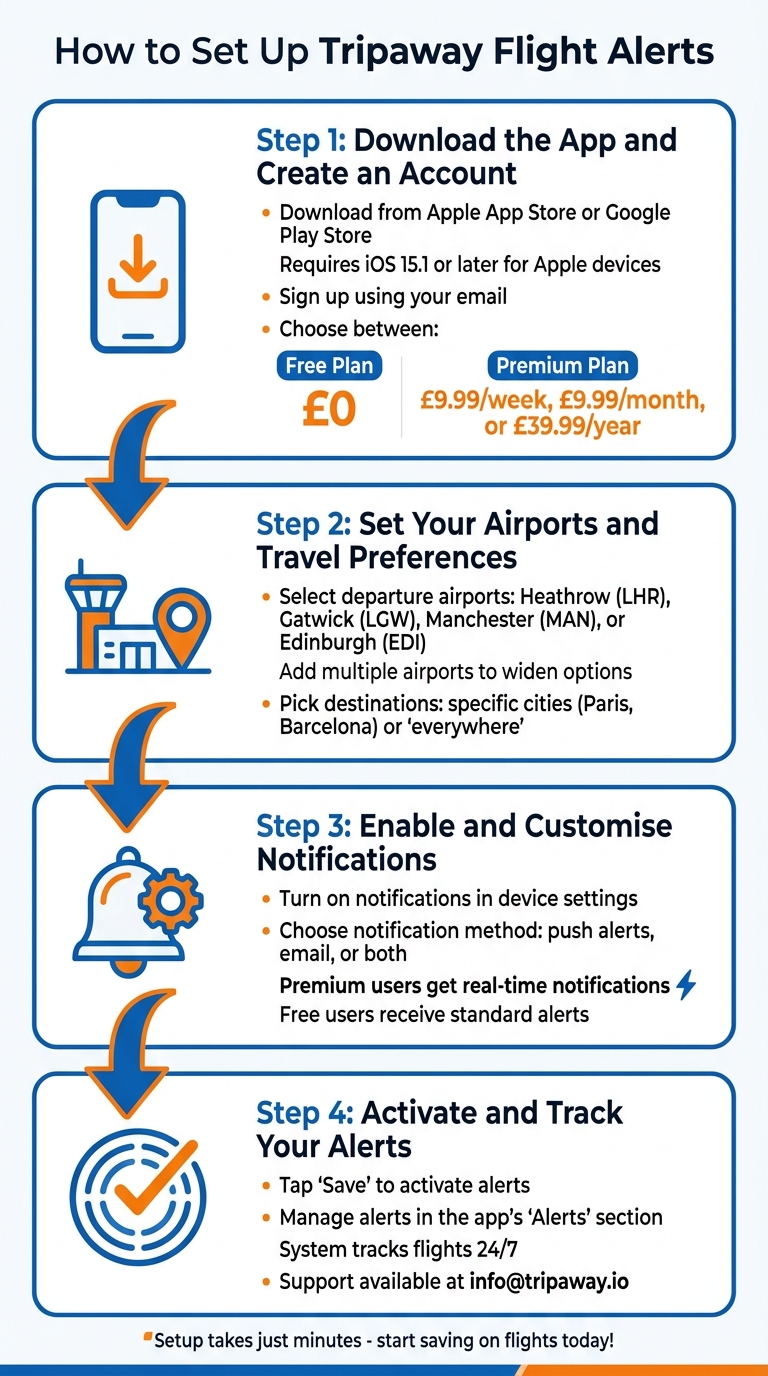
Setting up Tripaway alerts is your gateway to grabbing real-time flight deals.
Step 1: Download the App and Create an Account
Start by downloading the Tripaway app from the Apple App Store or Google Play Store. If you're using an Apple device, make sure it’s running iOS 15.1 or later. Once installed, open the app and sign up using your email. You'll have the option to choose between the Free Plan (£0) or the Premium Plan, which starts at £9.99 per week, £9.99 per month, or £39.99 per year. The Free Plan gives you access to basic deals, while the Premium Plan offers bigger discounts and exclusive offers. If you're unsure, start with the Free Plan to see how it works.
Step 2: Set Your Airports and Travel Preferences
After creating your account, personalise your travel settings. Start by selecting your main departure airport, such as Heathrow (LHR), Gatwick (LGW), Manchester (MAN), or Edinburgh (EDI). You can add more airports to widen your options for flash deals. Next, pick your destinations. You can specify cities like Paris or Barcelona, or opt for "everywhere" to explore the best prices worldwide.
Step 3: Enable and Customise Notifications
Turn on notifications to ensure you never miss a deal. Allow Tripaway to send alerts in your device settings. Within the app, you can decide how you prefer to receive notifications - via push alerts, email, or both. Premium Plan users enjoy real-time notifications, while Free Plan users receive standard alerts.
Step 4: Activate and Track Your Alerts
When you're done setting up, tap Save to activate your alerts. Tripaway's system will then track flights and notify you of time-sensitive deals. You can manage your alerts anytime in the app's Alerts section, where you'll find a personalised list of offers based on your preferences. If you run into any issues, the support team is available at info@tripaway.io. With everything set up, you're ready to snag incredible flight deals effortlessly.
How to Manage Your Alerts Effectively
Managing alerts well ensures you stay on top of the best travel deals without being overwhelmed by notifications.
Organise Alerts by Destination or Trip
To keep things tidy, group your alerts based on specific destinations or planned trips. Instead of tracking just one flight, create a "route ladder" that includes your main route and two backup options (e.g., London Heathrow to Barcelona, and London Gatwick to Girona). This method boosts your chances of finding a deal while keeping everything organised.
Divide your alerts into two groups: a "watchlist" for trips planned months in advance (for passive monitoring) and "purchase-ready" alerts for deals you’re prepared to book quickly. To avoid confusion, label each alert with the destination or travel dates. Stick to 3–5 high-priority alerts at a time to prevent excessive notifications. As Oliver Bennett, Senior SEO Travel Editor, wisely notes:
"The best fare alert is the one you will actually act on".
Adjust or Pause Notifications
Once your alerts are sorted, tweak your notification settings to avoid feeling bombarded. If instant alerts are too much, switch to daily summaries instead. You can fine-tune your alert filters by adjusting price thresholds, changing date ranges, or temporarily muting certain routes without losing your saved preferences. Try setting three price levels for each alert:
- Target fare: Your ideal price.
- Acceptable fare: A rate you’re willing to book.
- Stop-watching fare: Prices that are too high or volatile.
Spend 10 minutes weekly reviewing your alerts to remove outdated ones and update thresholds. Keep in mind that some alerts may expire automatically after 30 days, so renew them if your travel plans are still flexible. For UK travellers, setting alerts for multiple nearby airports (like Heathrow, Gatwick, and Stansted) can help uncover better deals in your region.
Free vs Premium Plan Comparison
Whether you go for Tripaway's Free or Premium plan depends on how actively you search for deals. The Free Plan is great for casual travellers who don’t mind basic updates, while the Premium Plan caters to frequent flyers who need fast notifications and advanced features.
| Feature | Free Plan | Premium Plan |
|---|---|---|
| Notification Speed | Daily or periodic updates | Real-time push notifications |
| Mistake Fare Detection | Not included | Priority alerts for error fares |
| Customisation | Basic route and date tracking | Advanced filters (e.g., fare class) |
| Best For | Casual travellers | Frequent flyers and deal hunters |
If you’re a frequent traveller chasing rare error fares or flash sales, the Premium Plan is worth the upgrade. However, if you’re only tracking a few routes for an upcoming holiday, the Free Plan’s daily updates should suffice.
Conclusion
Setting up Tripaway alerts takes just minutes but can lead to impressive savings. Simply download the app, choose your UK airports, and set your price thresholds. From there, the system works around the clock, scanning millions of flight routes to uncover hidden bargains.
On average, users save 15–20% on domestic flights and 30–40% on international journeys with these automated alerts. Occasionally, mistake fares can slash prices by up to 90%, offering extraordinary discounts.
Flash deals often disappear within minutes, so enabling push notifications is key to snagging them. For example, in April 2026, a traveller managed to book a London–Barcelona flight at 40% below the usual rate, saving over £150. Acting quickly is essential to securing such deals.
Whether you opt for Tripaway's Free Plan for basic monitoring or upgrade to Premium for more advanced real-time fare tracking, the savings can easily justify the minimal effort involved in setting up alerts. With its simple interface and instant notifications, Tripaway turns fleeting deals into regular opportunities to save.
Why wait? Download Tripaway now, set up your first alert, and start uncovering flight deals that could save you hundreds on your next adventure.
FAQs
How many alerts should I set up at once?
Setting up multiple alerts can be a game-changer when it comes to tracking flights. While there’s no magic number for how many you should create, having several in place allows you to keep an eye on different routes, destinations, and price ranges. To avoid drowning in notifications, prioritise the flights you’re most interested in and consider being flexible with dates. This way, you can stay organised and increase your chances of snagging the best deals without feeling overwhelmed.
How do I stop too many notifications?
To cut down on the flood of notifications from your flight alerts, tweak the notification settings in the app or platform you're using. Here's how you can do it:
- Head to the app's notification settings section.
- Adjust how often you receive alerts or temporarily mute them.
- Alternatively, you can switch off notifications altogether and check updates manually when it suits you.
If you're using Tripaway, you can fine-tune your alert preferences right in the app to keep things under control.
What should I do when a flash deal alert comes in?
When a flash deal pops up, don't waste time - grab it before it's gone. Check the details carefully, including travel dates and prices, and book straight away via the airline or travel site. These deals are fleeting and can vanish quickly, so acting fast is key to snagging the discount.